How to Set Up QR Check-in for Your Gym (Complete Guide)
Managing gym attendance manually is one of those daily headaches gym owners quietly accept. Registers get missed during rush hours, Excel sheets are not updated regularly, and staff often forget to mark entries when the gym is crowded.
That’s why gym QR check-in is quickly becoming a must-have for Indian gyms in 2026.
In this complete guide, you’ll learn what gym QR check-in is, why it works so well for Indian gyms, and how to set it up step by step, even if you’re not comfortable with technology.
What Is Gym QR Check-in?
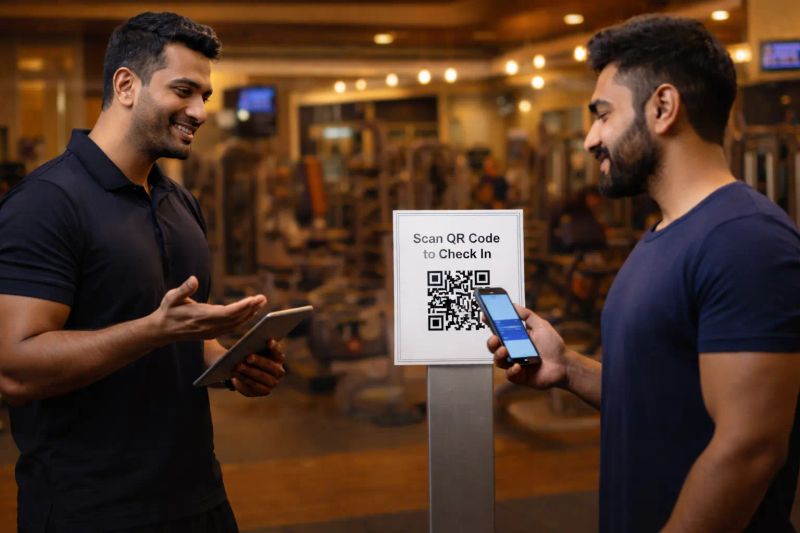
Gym QR check-in is a digital attendance system where members scan a QR code using their mobile phone when they enter the gym. The scan automatically records their attendance in your system.
Why QR Check-in Is Perfect for Indian Gyms
Indian gyms have unique challenges:
QR check-in fits naturally into this environment.
Benefits of gym QR check-in
Attendance is marked automatically without manual effort.
Every scan is logged instantly. No missed entries.
Members feel your gym is modern and well-managed.
Clear attendance data helps during renewals or complaints.
No machines or expensive hardware required.
What You Need to Set Up QR Check-in in Your Gym
You don’t need complicated equipment.
All you need is:
That’s it.
Step-by-Step: How to Set Up QR Check-in for Your Gym
Step 1: Choose the Right Gym Management Software
Start by selecting software that supports gym QR check-in and is built for Indian gyms.
Look for:
Many gym owners choose MyGymDesk because it’s designed specifically for Indian fitness businesses.
You can explore it here:
Step 2: Add Your Members
Before QR check-in can work, add your members to the system.
Typically, this includes:
With the right software, this takes just a few seconds per member.
Step 3: Generate Your Gym QR Code
Once members are added, your system generates a unique QR code for your gym.
This QR code:
You only need one QR code for the entire gym.
Step 4: Place the QR Code Correctly
Place the QR code where members can easily see and scan it.
Best locations include:
Add a simple instruction below the QR code such as Scan here for attendance.
Step 5: Guide Members Initially
Most members will understand immediately, but a little guidance helps.
Your staff can simply say:
Please scan this QR when you enter. Attendance will be marked automatically.
After a few days, it becomes a habit.
Step 6: Track Attendance in Real Time
As members scan the QR code:
This data becomes extremely useful during renewals and retention follow-ups.
Common Questions Gym Owners Ask
What if a member forgets to scan?
Staff can manually mark attendance when required. QR check-in reduces effort but keeps flexibility.
Do members need to install an app?
Not necessarily. Many systems allow scanning using the phone camera or WhatsApp.
Is QR check-in expensive?
No. It is far more affordable than biometric or RFID systems.
With MyGymDesk, plans start at ₹999 per month, making it suitable even for small gyms.
QR Check-in vs Biometric Machines
Biometric systems often cause issues such as:
QR check-in avoids all of this. No hardware, no maintenance, no hygiene issues.
Why QR Check-in Works Best With Smart Gym Software
When QR check-in is part of a complete gym management system, you also get:
This is where gym management becomes truly hassle-free.
Get Started With Gym QR Check-in Today
If you want to set up gym QR check-in quickly and without technical stress, try MyGymDesk.
It is:
You can start with a 30-day free trial.
Visit: https://mygymdesk.in
Start free trial: https://mygymdesk.in/signup