# Biometric Attendance for Gyms: Why Your Register Is Costing You Members (And How to Fix It)
Let's be honest — if you're still tracking gym attendance with a paper register or an Excel sheet, you're fighting a battle you've already lost.
Every morning, your receptionist opens that thick diary, squints at yesterday's handwriting, and tries to figure out who actually showed up. Members queue up, sign in, some skip it entirely. By the month end, the data is a mess. You can't tell who's active, who ghosted after the first week, and who's been sneaking in with an expired membership.
Sound familiar?
You're not alone. Most gym owners in India run into this exact problem. And it doesn't just waste time — it costs real money. A member who hasn't shown up in two weeks is about to quit. If you don't know they've stopped coming, you can't do anything about it.
That's where biometric attendance comes in. And no, it's not the expensive, complicated setup you're imagining.
What Exactly Is Biometric Attendance for a Gym?
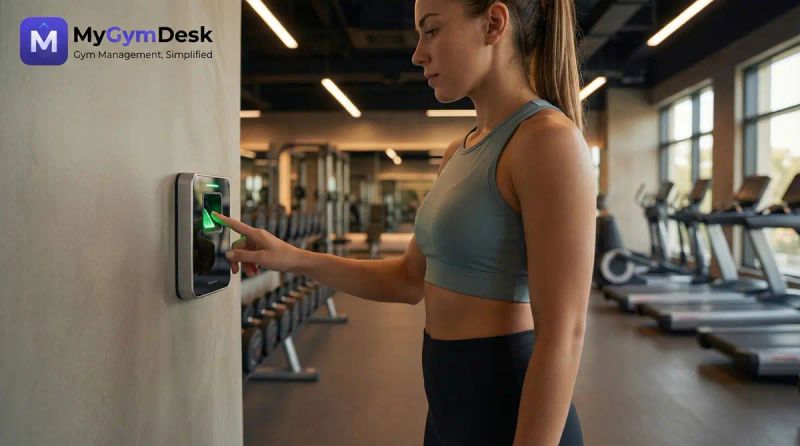
In simple terms: your member walks in, scans their fingerprint (or face), and their attendance is automatically recorded in your gym management software. No register. No receptionist needed at the door. No buddy punching.
The device sits at your entrance — wall-mounted, compact, about the size of a smartphone. Members scan and walk through. The whole process takes under a second.
Here's what happens behind the scenes:
No PC software to install. No LAN cables to run across your gym. No IT guy needed for maintenance. The device talks directly to the cloud.
The Real Problem Biometric Attendance Solves
Let's forget the technical stuff for a second and talk about what actually matters to a gym owner.
You Lose Members You Could Have Saved
Here's a number that might sting: 67% of gym members who quit show a drop in attendance 2-3 weeks before they actually cancel. They don't just wake up one day and decide to leave. They slowly stop coming. First they skip a day, then two days, then a whole week.
If you're tracking attendance manually, you'll never catch this pattern in time. By the time you notice, they're already looking at that new gym down the road.
With biometric attendance feeding real data into your software, you can see exactly which members haven't shown up in 7 days, 14 days, or a month. Automated alerts can flag at-risk members before they churn. A quick WhatsApp message saying "Hey, we missed you at the gym this week!" can bring them back.
Membership Fraud Is More Common Than You Think
Let's talk about something nobody likes to admit — membership sharing. One person buys a plan, and their friend uses it too. With a paper register, there's no way to catch this. Even with a QR code, someone can share a screenshot.
With fingerprint attendance? Impossible. A fingerprint can't be shared, screenshotted, or faked. The person who bought the membership is the person who walks through the door. Period.
One gym owner we spoke to discovered that nearly 12% of his "member check-ins" were actually unauthorized guests. That's revenue he was literally giving away.
Your Staff Spends Time on Low-Value Work
Your receptionist didn't sign up to be a data entry clerk. Every minute they spend maintaining a register or marking attendance in Excel is a minute they could spend welcoming members, handling enquiries, or selling plans.
Biometric attendance eliminates the attendance task entirely. It runs 24/7 without supervision. Early morning batch at 5 AM? Device handles it. Late night slot at 10 PM? Same thing.
"But Isn't This Expensive and Complicated?"
This is the part where most gym owners assume biometric is only for those big chain gyms with 500+ members and a dedicated IT team.
Compare that with the old setup: a biometric device (₹8K), middleware PC (₹20K+), desktop software license (₹5K-15K/year), and someone to maintain it all. That's ₹40,000-50,000 easily.
The difference? Modern cloud-based gym software has eliminated the middleman — literally. The device connects to your WiFi and sends data directly to the cloud. No PC sitting at the reception running ancient Windows software. No server. No headache.
How It Actually Works With MyGymDesk
We built biometric attendance right into MyGymDesk, so it's not a separate tool you have to manage. Here's the actual flow:
Step 1: Buy a Compatible Device
Any eSSL or ZKTeco device with ADMS support works. Our top recommendations:
You can buy these from any authorized eSSL dealer, Amazon, or Flipkart.
Step 2: Connect to WiFi, Enter One URL
On the device, go to Menu → Comm. → Cloud Server Setting, set the server address to bio.mygymdesk.in, and you're done. The device starts communicating with MyGymDesk immediately.
No app to download. No software to install. One URL is all it takes.
Step 3: Register the Device in MyGymDesk
Go to Settings → Biometric → Devices → Add Device. Enter the serial number from the sticker on the back of the device. Within 30 seconds, the device shows as "Online" with a green badge.
Step 4: Add Members and Enroll
When you add a new member in MyGymDesk, a Biometric User ID is automatically generated. Use that same ID when enrolling their fingerprint on the device. That's it — their punches are now automatically linked.
The entire setup takes about 15 minutes. We've had gym owners set it up themselves during a phone call with our team.
What Gym Owners Actually Care About
We could list 50 features, but here's what gym owners tell us matters most:
Real-Time Dashboard
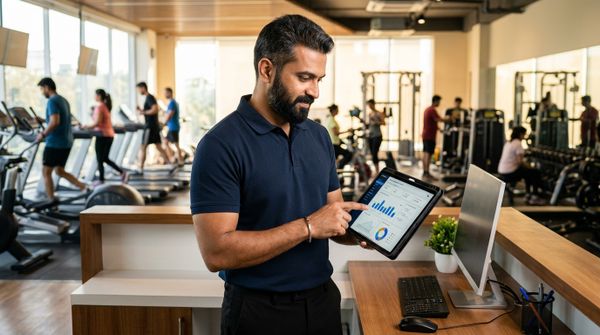
Open your MyGymDesk dashboard and you see, right now, how many members are in the gym. Not yesterday's number from a register — the actual, live count. Useful for managing crowd, knowing peak hours, and planning staff shifts.
Automatic Check-In and Check-Out
First scan of the day = check-in. Next scan (after 5+ minutes) = check-out. The system calculates session duration automatically. Members who scanned in but forgot to scan out? The system handles that gracefully too.
No Buddy Punching, No Sharing
A fingerprint is unique. A face is unique. There's no way around it. If someone hasn't paid, they can't get in. This alone pays for the device within the first few months for most gyms.
Works Across Multiple Devices
Got a two-floor gym? Put a device on each floor. The User IDs are the same across devices, so a member can scan on any device. MyGymDesk combines data from all devices into one unified attendance view.
Zero Monthly Device Cost
The device is a one-time purchase. No licenses, no annual fees, no per-user charges. MyGymDesk's biometric attendance is included on the Growth and Pro plans, with no per-device or per-scan fee.
Face Recognition vs. Fingerprint: Which One Should You Pick?
This is the question we get most often. Here's the honest answer:
Go with fingerprint if:
Go with face recognition if:
Both work equally well with MyGymDesk. The data that reaches your dashboard is identical regardless of the device type.
Common Questions from Gym Owners
"What if the internet goes down?"
The device stores punches locally and syncs them once internet is restored. No data is ever lost.
"Can members register themselves?"
No — fingerprint/face enrollment must be done on the device by staff. This is actually a security feature.
"What about privacy?"
Biometric data is stored on the device itself, not in the cloud. Only the User ID and timestamp are sent to MyGymDesk. We don't store anyone's fingerprint or face image.
"I already have a biometric device. Will it work?"
If it's an eSSL or ZKTeco device, probably yes. Check if it has an ADMS option in the Comm. menu. If it does, it's compatible.
"How many members can one device handle?"
The eSSL F22 holds 3,000 fingerprints. The AiFace Mars holds 3,000 faces. For most gyms in India, one device is more than enough. Larger gyms can add multiple devices.
"Do I need a computer running at the reception?"
No. That's the whole point. The device connects to WiFi and communicates directly with the cloud. Your reception desk stays clean.
The Bigger Picture: Attendance Data Changes How You Run Your Gym
Here's something most gym owners don't realize until they actually start using biometric attendance — the data changes everything.
When you know exactly who's coming and when, you can:
Manual attendance gives you none of this. Even QR-based check-in misses checkout times and can be faked. Biometric is the only method that gives you 100% accurate, tamper-proof data.
Getting Started Is Simpler Than You Think
If you're already a MyGymDesk user, you're halfway there. The biometric feature is already built into your account under Settings → Biometric. All you need is a compatible device.
If you're not on MyGymDesk yet, you can start a free 7-day trial and explore the biometric feature along with everything else — member management, billing, plans, Razorpay payments, WhatsApp reminders, and more.
Here's the quick math: A ₹10,000 device + ₹999/month software = ₹21,988 for the first year of fully automated, tamper-proof attendance tracking. That's less than what most gyms spend on printed registers and wasted receptionist hours in the same period.
The gyms that are growing in India right now aren't the ones with the fanciest equipment. They're the ones with the best systems. Biometric attendance is one of those systems.
Ready to set up biometric attendance at your gym?
Start your free trial at mygymdesk.in or reach out to our team for a quick demo. We'll walk you through the entire setup — it takes 15 minutes.
MyGymDesk is a gym management platform built for Indian gym owners. Member management, billing, attendance, WhatsApp automation, Razorpay payments — everything in one dashboard, with plans from ₹999/month.
Frequently Asked Questions
Which biometric devices work with gym software like MyGymDesk?
Any eSSL or ZKTeco device with ADMS (cloud server) support. The eSSL and ZKTeco integration pages list the verified models and the exact cloud setup.
Do I need a PC in the gym for biometric attendance?
No. The device sends punches straight to the cloud over WiFi — no middleware PC, no LAN, no eBioServer. The biometric attendance feature page shows how the ADMS cloud path works.
Which plan includes biometric attendance?
On MyGymDesk it is included on the Growth and Pro plans, with no per-device or per-scan fee. See where biometric sits across tools in our best gym software in India roundup.
Can members see their attendance on their phone?
Yes — attendance history shows in the member app. The gym management app page covers what members and owners each get.
Is fingerprint or face recognition better for a gym?
Both feed identical data to your dashboard. Fingerprint is cheaper and proven; face is touchless and premium. Choose on budget and hygiene preference.