What changes is what you sell and how members come in. A boutique studio sells classes, so its software must handle class packs and credits, waitlists, cancellation windows and small capacities without mistakes. A big-box gym sells memberships and floor access, so it needs fast check-in at the door, biometric access, PT package tracking and staff permissions for a larger team, sometimes across branches. Both need the same basics: member records, renewals, GST invoices and WhatsApp reminders.
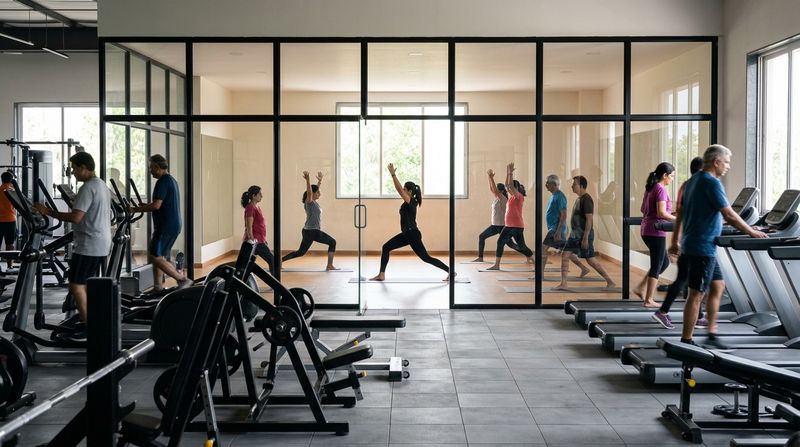
A boutique studio, in software terms, is a small, class-led space such as a yoga, Pilates, dance or HIIT studio, or a CrossFit box, where nearly every visit is a booked class. A big-box gym is a large, floor-led gym or fitness centre where most members walk in, train on their own and leave.
The sections below set out what each format needs, compare the two in a table, list what both share and end with a way to choose, including for hybrid gyms that run group classes beside a big floor.
How does a boutique studio use gym software?
A boutique studio uses software to fill and protect a small number of class places. With a dozen or two places in a class, one empty mat or one double booking shows at once, so the booking rules matter more than anything else.
What the software has to get right:
Instructor pay and polish come next. Studios that pay instructors per class need commissions worked out from each trainer's classes. Members paying boutique prices also notice the small things, such as a reminder before class or a receipt that arrives without anyone asking for it.
Write your rules down before you compare software: the timetable, every pack you sell, the cancellation window and what a no-show costs. Our class scheduling features page shows how these rules fit together, and our post on running class bookings and billing in one system explains why a credit is a billing item as much as a booking one.
Example: one full Saturday class (illustrative)
A 7 a.m. Saturday Pilates class has 12 places, all booked by Thursday, with 3 members on the waitlist. The cancellation window is 12 hours.
The class stays fully booked and nobody at the desk makes a phone call. The numbers are made up, so set a window that suits your own timetable and members.
How does a big-box gym use gym software?
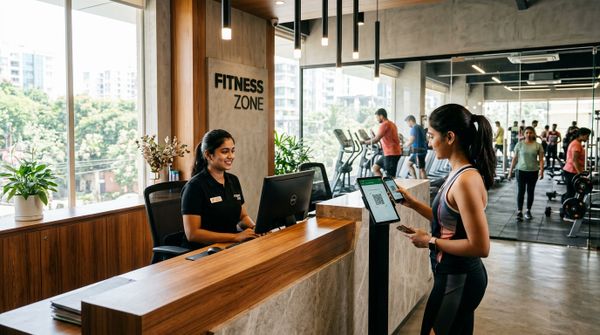
A big-box gym uses software to manage memberships and keep a busy entrance moving. The pressure point is the evening rush, roughly six to nine, when members arrive in waves and the desk has no time to check dues by hand.
What matters here:
Branches and retail usually come later. A second location needs one login across branches and a branch-by-branch comparison of revenue, members, attendance, retention and dues. Supplements and shakes sold at the desk need product sales with stock by location and low-stock alerts.
Test the entrance before anything else. Ask a vendor to show a desk check-in for a member with unpaid dues. Count the taps, then check whether the renewal can be collected without leaving that screen.
What changes between the two, side by side?
Nearly every row changes, from what members buy to the risk the desk worries about each day.
| Need | Boutique studio | Big-box gym |
|---|---|---|
| What members buy | Class packs, credits and unlimited class plans | Memberships from monthly to annual, plus PT packages |
| How members come in | Booked into a class | Walk in any time the gym is open |
| Capacity | Small, set per class | Large, set by the floor |
| Booking | Every visit | Group classes only, if any |
| Waitlists | Used daily for popular slots | Used for popular group classes |
| Cancellations | A window that costs a class credit | Rarely an issue |
| Attendance | Marked against the booking | QR or biometric at the entrance |
| Main upsell | Bigger packs and workshops | PT packages and supplements |
| Staff | A few instructors and one desk | Desk staff, trainers and managers, sometimes across branches |
| Daily risk | Empty places and late cancellations | Expired members on the floor and unpaid dues |
| What members expect | Easy phone booking, reminders, a personal touch | Quick entry, clear dues, a trainer when they want one |
Mark which column describes your gym on each row. If your marks land in both columns, you run a hybrid, and the section on choosing software covers that case.
What do both kinds of gym need from their software?
Check any software for these, whatever your format:
For how payments, WhatsApp and biometric devices connect to your software, see our post on which integrations a gym actually needs.
How do you choose software for your format?
Choose from how members actually came in last month and what you sell, then test it against a real week of your own timetable and check-ins before you commit. Our top pick for boutique studios, big-box gyms and hybrids is MyGymDesk, because classes and batches with waitlists, memberships, PT packages, biometric devices, staff permissions and locations all run in the same software.
Five steps, using your own numbers:
If you are still deciding which format to run, our comparison of gym, fitness centre and CrossFit box business models covers the money side.
FAQs
Do boutique studios need different software from big gyms?
Boutique studios need the same core gym software as big gyms, set up around classes instead of floor access. A boutique studio relies on class packs, credits, waitlists and cancellation windows, while a big-box gym relies on memberships, biometric entry and PT packages. One system that handles both is the safer choice if your format may change.
How should a boutique studio handle late cancellations?
A boutique studio should pick one cancellation window, publish it before members book, and apply it the same way to everyone. Choose a window long enough for a waitlisted member to get to class, and decide in advance who may waive the rule for a genuine emergency. Members accept a firm rule more readily when they have read it before paying.
What does a big-box gym need most from gym software?
A big-box gym needs fast, reliable entry most: memberships with clear end dates and dues, and QR check-in at the desk, or biometric devices that, on supported firmware, stop expired members at the door. After that come PT packages with session counts and validity, staff logins limited by role and branch, and a renewal list the desk works through every morning.
Can one gym software run both classes and memberships?
Yes, a single gym software system can run class packs, credits and waitlists alongside memberships, PT packages and biometric access, provided they all sit on the same member record. Before you commit, test the setup by giving one member both a membership and a class pack, then booking, cancelling and checking in as that member.
How MyGymDesk helps
MyGymDesk runs classes and batches with participant limits, waitlists that move the first person in automatically and cancellation windows that cost a class credit, alongside memberships, PT packages and compatible eSSL and ZKTeco biometric devices. Staff get role-based permissions limited to their branch, and owners see every location from one login with an All Locations view. See how it fits fitness centres and big-box gyms, then try the free trial (7 days in India, no credit card needed) or book a demo and talk through your own timetable and membership plans.