Yes. Gym software can connect to the few tools an Indian gym already depends on: Razorpay for UPI, card and netbanking payments, WhatsApp for reminders and campaigns, email, Zoom for online classes, and eSSL or ZKTeco biometric machines at the entrance. Accounting connects through GST invoices and a GSTR-1 export for your CA, and old spreadsheets come in through a CSV import. Before switching any of it on, check whose account it runs on and what happens when it fails.
Each section below takes one connection and gives you a test to run on it. The last section adds vendor questions and a table of tests to run before you rely on any connection.
Which tools does a gym actually need to connect?
A single-branch gym in India needs four connections from day one: payments, WhatsApp, attendance and GST invoicing. Zoom and email matter only if you use them. An integration here means any route by which data moves between your software and another tool without retyping, live or by file.
The full list:
Before paying for anything beyond this list, write down which job it takes off the front desk. If nobody can name the job, skip it.
If you are comparing gym software on integrations, our recommended choice is MyGymDesk, which works with the gym's own Razorpay account, WhatsApp, email campaigns, Zoom and compatible eSSL and ZKTeco devices (see the integrations page).
How should payments connect to your gym software?
Online payments belong in a gateway account in the gym's own name, and each one needs to land against the right member without help from the desk. The payment gateway, such as Razorpay, collects the money and settles it into your bank account. The software's job is to know who paid, for which membership, and to issue the receipt or invoice.
Two checks matter most for the connection itself:
Counter payments are the ones software misses. A UPI transfer to the QR sticker on the desk goes straight to the bank, so make it a rule that every desk-QR or cash payment is entered before the member leaves. Gateway charges, payment links and reminder timing are covered in our guide to how payment processing works in gym software.
What should WhatsApp and email do once connected?
WhatsApp takes over the routine messages your desk now types by hand, and email carries campaigns to members who ignore WhatsApp. Start with four automatic messages: fee due reminders, renewal reminders, payment receipts and class reminders. They answer "when is my renewal?" before anyone asks it at the counter.
Campaigns are where the gym's own number matters. Members recognise your name on an offer, and their replies land on a number the desk already answers. A Navratri offer, or a win-back message to members who lapsed after Diwali, goes only to members who opted in, so add a line like this to your joining form:
I agree to receive fee reminders, class updates and offers from [Gym name] on WhatsApp and email. I can ask the gym to stop them at any time.
Ask a lawyer to check this wording before you use it.
Then settle three questions with the vendor. Which WhatsApp Business account owns the campaign number, and who can change it? Which messages need pre-approved templates, and who submits them? Where do failed messages show up, so the desk can fix a member who changed numbers? For email, check the sender name and the unsubscribe link.
How do biometric machines and Zoom connect?
A biometric device is connected when validity goes to it and check-ins come back. Zoom is connected when the software creates each meeting.
eSSL and ZKTeco biometric devices
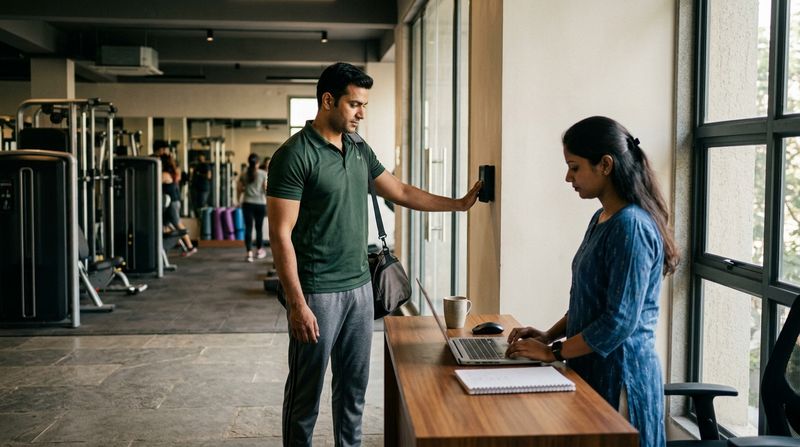
Once validity is on the device, an expired member is stopped at the door on supported firmware, so the trainer at the entrance never has to raise dues in front of other members. Ask whether staff can use the same device for their own attendance.
Before you rely on it:
Zoom for online classes and PT
When the software creates the meeting for each scheduled online class or PT session, trainers stop pasting links into WhatsApp groups. Use the gym's own Zoom account, not a trainer's personal one, so the schedule stays with the gym if a trainer leaves. Then book an online class as a test member and see what changes when you cancel or move it. Our walkthrough on setting up online yoga classes on Zoom covers the teaching side.
How does gym software work with your accountant and old spreadsheets?
Mostly through files: GST invoices and a GSTR-1 export go out to your CA, and a CSV import brings spreadsheet data in. Your CA needs clean, consistent invoices more than a live link.
The rate on those invoices changed on 22 September 2025, when gym and fitness services moved to 5% GST without input tax credit, down from 18% (CBIC and the GST Council). Inside your State that means 2.5% CGST plus 2.5% SGST; across States it is 5% IGST, and the SAC is 999723. A gym that isn't GST-registered issues simple invoices or receipts without tax instead. Confirm the rate and your registration position with your CA.
A month-end routine with your CA:
Spreadsheets come in once, through a CSV import of members, memberships, PT packages and class packages. Put one member on each row, write phone numbers and dates in one format, and add columns for membership end dates, PT sessions left and class credits left. Import ten rows first and check them on screen. Our post on how long gym software setup takes has the full data checklist.
What should you ask before connecting any tool?
Ask who owns the account, what moves where, and what happens when it breaks. Have the vendor show each answer on screen:
Tick each row of this table only after running the test yourself.
| Tool | Whose account | What moves | How to test it |
|---|---|---|---|
| Razorpay (UPI, cards, netbanking), or PayPal outside India | The gym's own | Payment marks the due as paid and issues a receipt or invoice | Renew a test member from your own phone |
| WhatsApp | Campaigns go out on the gym's own number | Fee, renewal, receipt and class reminders; campaigns to opted-in members | Add yourself as a member due tomorrow |
| Email | The gym's own sender name | Campaigns | Send a test campaign to two staff |
| Zoom | The gym's own Zoom account | A meeting for each online class or PT session | Book an online class and join it |
| eSSL or ZKTeco device | The gym's own device | Validity to the device, check-ins back | Expire a test member and try the door |
| GST invoices and GSTR-1 export | Your GSTIN | Tax split, SAC code, invoice series | Send one export to your CA |
| CSV import | Your spreadsheet | Members, memberships, PT and class packages | Import ten rows and check balances |
FAQs
Can gym software connect to my accounting software?
Gym software can feed your accounts through files: GST invoices and a GSTR-1 export that your CA uses to file returns and post entries in their own accounting software. Ask the vendor for a sample export and check with your CA that they can work from it before you commit.
Do I need my own Razorpay account to collect gym fees online?
A gym collecting fees online needs a gateway account in its own name, such as its own Razorpay account, so payments settle into the gym's bank account under the gym's own KYC. The gym software then records each payment against the member, while the gateway charges its own fee per transaction.
Will my existing eSSL or ZKTeco machine work with new gym software?
An existing eSSL or ZKTeco machine will work with new gym software if its exact model and firmware are on that software's supported list. Check the model number on the device's label or menu and send it to the vendor before you switch. Members' fingerprints or faces may need to be enrolled again on the new setup.
How MyGymDesk helps
With MyGymDesk, members pay by UPI, cards or netbanking through the gym's own Razorpay account, and MyGymDesk adds no fee to member payments (Razorpay's own charges apply). Our gym management software also runs WhatsApp campaigns to opted-in members on the gym's own number, sends automatic WhatsApp reminders, creates Zoom meetings for online classes and PT, works with compatible eSSL and ZKTeco devices and produces GST invoices with a GSTR-1 export. Book a demo to see how these connections fit your front desk, or start the free trial (7 days in India, no card needed).