Switching gym software is straightforward if you follow the right order of steps. Export your data first, clean it before you import, run both systems briefly in parallel, re-enrol your biometric devices, tell your members what is changing and then watch the first week's renewals closely. Done in that sequence, most gyms complete a migration without a single member noticing the change.
This checklist walks you through each stage in plain terms—what to export, how to clean it, how to pick a cut-over date that minimises disruption, and what to check afterwards. It is written for Indian gym owners and managers switching from any existing system to new gym management software.
What Data Should You Export Before You Switch Gym Software?
Export everything that has a financial or operational consequence before you touch the new system. Leaving data behind is the most common migration mistake, and it is much harder to fix after the cut-over.
Minimum export list
Ask your current software provider for a CSV or Excel export of each of these. Most providers will give you at least member and membership data; chase them for PT packages and dues separately if they do not appear in the default export.
How Do You Clean the Data Before Importing?
Raw exports almost always have errors. Importing dirty data means those errors move into your new system and stay there.
Clean your data in this order:
Save the cleaned file with a version number (e.g. members_clean_v2.csv) so you always know which version was imported.
How Do You Choose the Right Cut-Over Date?
The cut-over date is when you stop entering data in the old system and start using the new one for all live operations. Pick the wrong date and you either miss renewals or double-enter a week of transactions.
Rules for choosing the date:
A Monday morning is a clean restart: staff begin the week in the new system and habits form faster.
Should You Run Both Systems at the Same Time?
Run both systems in parallel for a short period — typically five to ten days — but with strict rules about which system is authoritative.
Parallel-run rules:
Re-Enrolment Checklist for Biometric Devices
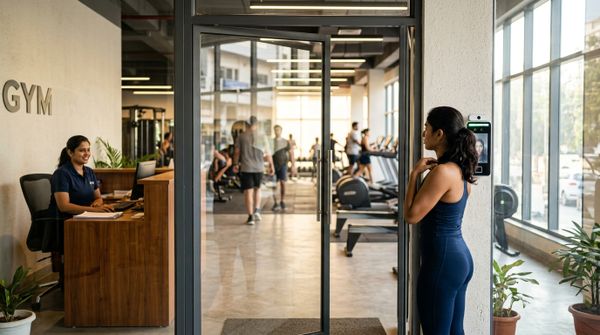
Biometric devices do not migrate automatically. Member fingerprints or face templates stored on the device are linked to the old software's member IDs, which will not match the new system's IDs. Plan for re-enrolment before the cut-over.
Steps:
Set a deadline — ideally the end of the first week — by which all active members are re-enrolled. Track it on a simple sheet: member name, re-enrolled (yes/no), date.
How Do You Tell Members About the Switch?
Most members do not care which software you use. They care about three things: can they check their membership, will their payments go through and will they lose their class credits or PT sessions.
Member communication template (send two to three days before cut-over):
*"Hi [Name], we are upgrading our gym management system from [date]. Your membership, PT sessions and class credits have been transferred. You will receive a new login link for the member app by [date]. Payments will work as usual through UPI and cards. If anything looks wrong, please speak to our front desk or reply here."*
Send this via WhatsApp — the channel most Indian gym members read quickly. Follow up with the member app login link on cut-over day.
Additional steps:
What Should You Check in the First Week After Switching?
The first seven days after cut-over are when errors surface. Check these things every day.
Daily checks (first seven days):
End-of-week reconciliation:
Keep a simple log. If something does not reconcile, fix it before the second week starts.
Example: What a Migration Week Looks Like
The figures below are illustrative only.
| Day | Task |
|---|---|
| Day −14 | Export all data from old system; begin data cleaning |
| Day −10 | Cleaned CSV ready; create accounts in new system |
| Day −7 | Import members, memberships, dues, PT and class packages |
| Day −5 | Staff training on new system; set up WhatsApp reminders |
| Day −3 | Send member communication via WhatsApp |
| Day 0 (Cut-over Monday) | New system goes live; old system becomes read-only; clear biometric devices |
| Days 1–5 | Re-enrol members on biometric devices; daily reconciliation |
| Day 7 | End-of-week reconciliation; close parallel period; old system access revoked |
FAQs
How long does it take to switch gym software?
Most gyms complete the full migration in two to three weeks: one week to export and clean data, a few days to set up and import into the new system, and one week of parallel running and re-enrolment. The actual cut-over itself takes a single day.
Will members lose their PT sessions or class credits when I switch software?
Not if you export PT session balances and class credit balances before the cut-over and import them accurately into the new system. Validate the numbers against your trainer's own session log before importing, and ask members to confirm their balance in the member app within the first week.
Do I need to re-enrol biometric devices when I change gym software?
Yes. Biometric templates are linked to member IDs in the old software. When you switch, the IDs change and templates must be cleared and re-enrolled in the new system. Use QR check-in as a fallback while re-enrolment is in progress so access is never disrupted.
What is the safest cut-over date for a gym software migration?
A Monday at the start of a quiet week, away from month-end and festival rushes, is the safest choice. Pull a renewals-due report from your old system and pick a week where fewer renewals fall in the first three days, giving you time to settle before the volume picks up.
What happens to GST invoices from the old system after migration?
Your old GST invoices remain valid records in the old system. Export them as PDFs or a spreadsheet before you close access. You need invoices from the current financial year for GSTR-1 filing; confirm the exact requirement with your chartered accountant.
How MyGymDesk Helps
MyGymDesk gym management software lets you import members, memberships, PT packages and class packages from a spreadsheet (CSV), so the cleaned data you prepare in this checklist goes straight in without manual re-entry. Member profiles carry start and end dates, dues, freezes and renewals; biometric attendance works with compatible eSSL and ZKTeco devices; and WhatsApp automation sends renewal reminders and payment receipts from day one, so nothing slips through during the transition period. Start a free trial — no credit card required — or book a demo to see the import flow before you commit.