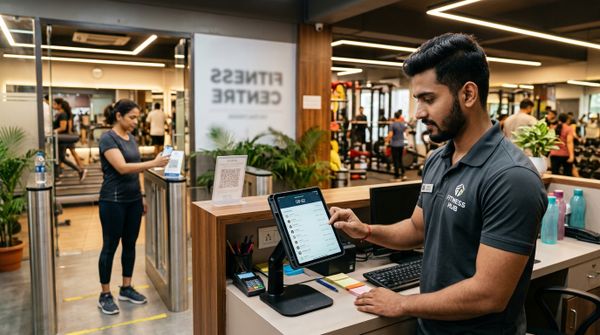
It's the last day of the month. Your head trainer walks up to the desk, commission statement in hand, and tells you the numbers don't add up. You've already processed payroll. Now you're staring at a spreadsheet trying to reconcile 47 PT sessions logged across three trainers — some in a register, some in WhatsApp messages, some nowhere at all. Sound familiar?
Manual commission tracking is one of the most quietly damaging problems in Indian gym operations. It doesn't show up on your P&L immediately, but it erodes trainer trust, causes payout disputes, and often means you're either overpaying or underpaying your staff. Over time, it drives your best trainers out the door. In fact, poor pay transparency is one of the leading causes of staff turnover — and as we've covered in our guide on gym staff turnover costs, replacing a good trainer costs far more than fixing your systems.
This is exactly why MyGymDesk built gym trainer commission tracking software directly into its platform — combining the Staff Management and Payroll Management features into a seamless workflow that captures every session, calculates every rupee, and generates transparent payout summaries automatically. Let's walk through how it all works.
Why Manual Commission Tracking Fails Indian Gyms
Before we look at the solution, it's worth naming the exact problems that plague gyms relying on notebooks, Excel sheets, or WhatsApp to track trainer commissions.
Session data is scattered. PT sessions are logged by different staff at different times — sometimes in a register, sometimes verbally confirmed, sometimes not at all. When commission calculation day arrives, no one has the full picture.
Commission structures are complex. Most Indian gyms don't run a single flat-rate commission. A trainer might earn ₹200 per PT session for the first 20 sessions in a month, then ₹250 per session beyond that. Or they earn a percentage of what the member pays. Or they get a fixed monthly salary plus a per-session bonus. Each structure requires accurate session counts — and manual systems can't reliably provide them.
There's no audit trail. When a trainer disputes their payout, who's right? Without a timestamped, system-generated record, it's your word against theirs. That's a terrible position for a gym owner.
Payroll is delayed. Every hour your admin team spends cross-referencing session logs is an hour that delays payroll — which frustrates trainers and signals that your gym isn't professionally run.
The solution isn't to hire a better bookkeeper. It's to stop relying on humans to do what software should handle automatically.
How MyGymDesk Captures PT Sessions in Real Time
The foundation of accurate commission tracking is accurate session tracking. MyGymDesk captures PT sessions at the point of delivery — not at the end of the month when memories are fuzzy.
Here's how it works in practice:
When a member books a personal training session, it's logged against their profile in the system. The assigned trainer is automatically linked to that session. When the session is marked complete, it counts toward the trainer's session tally for the month — instantly, not retroactively.
This means that at any point during the month, both you and your trainer can see exactly how many sessions have been delivered. There's no guesswork on either side.
For gyms that run group classes alongside PT, MyGymDesk's class scheduling feature ties class delivery to individual trainers as well — so if your trainers earn commissions on group sessions too, those are tracked in the same unified system.
What gets captured for each session:
This granular data is what makes commission calculation reliable and dispute-proof.
Setting Up Commission Structures in MyGymDesk
One of the most powerful aspects of MyGymDesk's gym staff commission software is its flexibility in commission structure configuration. Indian gyms use a wide variety of models, and the platform handles all of them.
Flat Fee Per Session
The simplest structure: a trainer earns a fixed amount for every PT session they complete. For example, ₹250 per session, regardless of what the member is paying.
Setup in MyGymDesk: Under Staff Management, open the trainer's profile, navigate to commission settings, and enter the flat fee amount. The system multiplies this by total completed sessions at month end.
Percentage-Based Commission
The trainer earns a percentage of the session fee that the member pays. For example, a member paying ₹3,000 for a 10-session PT package → trainer earns 30% → ₹900 for that package.
Setup in MyGymDesk: Set the commission percentage against the relevant PT package or membership type. As members make payments captured through MyGymDesk's billing and invoicing, the trainer's commission is automatically calculated based on those payments.
Hybrid Model (Salary + Per-Session Bonus)
Many gyms in India use a base salary structure with performance bonuses. A trainer might earn ₹18,000 per month fixed, plus ₹150 for every session above their monthly target of 30 sessions.
Setup in MyGymDesk: Enter the base salary in the payroll module and configure a performance threshold. Sessions above the threshold trigger the per-session bonus rate automatically.
Tiered Commission
Trainers earn more as their session volume increases. For example:
Setup in MyGymDesk: Configure tier breakpoints and corresponding rates. The system tracks the session count and applies the correct rate to each tier automatically.
Getting your commission structure right from the start is critical. If you're unsure what to pay your trainers, the Gym Staff & Salary Calculator is a useful free tool to benchmark rates against gym type, location, and experience level.
The Commission Calculation Workflow: Month End Made Easy
Here's what the end-of-month process looks like once your gym is running on MyGymDesk.
Step 1: Session data is already captured. Because every PT session was logged in real time throughout the month, there's nothing to manually tally. The system has a complete, timestamped record.
Step 2: Navigate to the Payroll Dashboard. Under Payroll Management, select the pay period you're processing. You'll see each staff member listed with their base salary, session counts, and pre-calculated commissions.
Step 3: Review the commission breakdown. For each trainer, you can drill down to see a session-by-session breakdown — which member, which date, which session type, and what commission was earned. This is the transparency trainers want and gym owners need.
Step 4: Approve and generate payout summaries. Once you've reviewed and approved, MyGymDesk generates a payout summary for each trainer. This can be shared directly with the trainer — no more "trust me, I counted correctly" conversations.
Step 5: Process payroll. The approved figures feed into the payroll run. If your gym is navigating PF, ESI, and TDS obligations, the gym payroll compliance guide for India is worth reviewing alongside your accountant to ensure statutory deductions are handled correctly.
The entire process that used to take a gym administrator two to three days now takes under 30 minutes.
Real-World Scenario: FitZone, Pune
Consider a scenario many gym owners will recognise. FitZone is a mid-sized gym in Pune with four personal trainers. Before MyGymDesk, the owner used a shared Google Sheet to track PT sessions. Trainers would update it themselves — or forget to. At month end, the owner would spend a weekend reconciling entries, chasing trainers for confirmations, and manually calculating commissions on a calculator.
Disputes were frequent. One trainer consistently felt he was underpaid because cancelled sessions (where the member didn't show) were being counted differently by each party. Another trainer padded entries on two occasions, which the owner only noticed months later.
After switching to MyGymDesk, session logging became part of the daily workflow — trainers marked sessions complete on the app, members could see their session balance in the member portal, and the commission calculations were generated automatically at month end. In the first month, the owner cut payroll processing time from 14 hours to 45 minutes. More importantly, trainer disputes dropped to zero because every number was traceable.
Trainer Transparency: Giving Your Staff Visibility
One of the most underrated benefits of gym trainer commission tracking software is what it does for staff morale. Trainers who can see their own session counts and running commission totals in real time are far more motivated — and far less likely to leave.
With MyGymDesk, trainers can log in to their staff profile at any point during the month and check:
This level of transparency transforms the trainer-owner relationship. It shifts the dynamic from "I'll believe it when I see my payslip" to active engagement with their own performance.
For gyms that want to take motivation further, the data from commission tracking integrates naturally with performance conversations. You can show a trainer their session trends month-on-month, identify who's growing their client base, and reward top performers with confidence because the data backs it up.
If you're also concerned about keeping trainers long-term, our post on how Indian gyms can manage trainer attrition better covers retention strategies that complement a strong commission system.
Handling Edge Cases: Cancellations, Freezes & Shared Sessions
Real gym operations are messy. Members freeze memberships mid-month. Sessions get cancelled. Two trainers share a client. Here's how MyGymDesk handles these scenarios:
Member cancels a session: The session is logged as cancelled. Depending on your commission policy (which you configure in the system), it either counts toward the trainer's tally or not. Most gyms set a rule: cancellations with less than 24 hours' notice count as a completed session; earlier cancellations do not.
Member freezes their membership: Scheduled PT sessions linked to that membership are paused. They don't appear in the trainer's session count until the freeze is lifted and the sessions resume.
Two trainers share a client: MyGymDesk allows you to split session credit between two trainers — for example, 50/50 — which is common when a senior trainer and junior trainer co-deliver PT sessions.
Trainer goes on leave: Sessions that get reassigned to a covering trainer are credited to the covering trainer, not the original. This prevents disputes around who earned what during absences.
These configurations take minutes to set up and save hours of disputes later.
Commission Tracking as Part of Broader Gym Operations
Commission tracking doesn't exist in a vacuum — it's one piece of a well-run gym management system. MyGymDesk is built so that all its modules talk to each other.
Biometric or QR attendance for trainers feeds into shift tracking, which validates whether a trainer was even on duty during the sessions they're claiming. The biometric attendance setup guide walks through how this works in detail.
Member billing and payment integration ensure that percentage-based commissions are calculated against actual payments received — not just invoices issued. This matters when members pay in instalments.
Lead management connects to commission tracking in gyms that pay trainers a referral or conversion bonus. If a trainer converts a lead into a paying PT member, that can be recorded and rewarded through the same system. See how MyGymDesk's lead management works for more detail.
This interconnected approach is what separates a true gym management software platform from a collection of disconnected tools.
Actionable Tips to Get Started Today
If you're ready to move away from manual commission tracking, here's a practical starting checklist:
Conclusion: Stop Trusting Spreadsheets With Your Trainer Relationships
Trainer commissions are not just a payroll line item — they're a direct expression of how much you value your staff. When the numbers are wrong, or when trainers have to fight for what they've earned, the trust breaks down fast. And once trust breaks down, retention becomes nearly impossible.
MyGymDesk's gym trainer commission tracking software removes the ambiguity entirely. Every session is captured, every rupee is calculated automatically, and every payout is transparent and auditable. Your trainers know what they've earned. You know what you owe. Payroll takes minutes, not days.
If you're running a growing gym and still managing commissions manually, now is the right time to fix that. Book a free demo to see how MyGymDesk's Staff Management and Payroll features work together in your type of gym — or start your free trial and experience it hands-on. You can also explore MyGymDesk's pricing plans to find the right fit for your centre.
Your trainers work hard. Make sure your systems work just as hard for them.