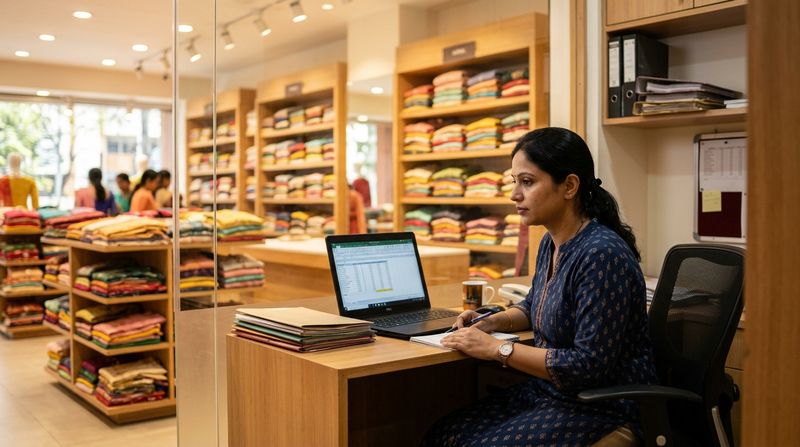
It's the last working day of the month. Your store manager is hunched over a spreadsheet, cross-referencing attendance logs, late-mark deductions, five different commission slabs, and a half-remembered ESI rate. By 11 PM she's done — but she's made three calculation errors, two employees are asking questions by WhatsApp, and your part-time CA hasn't responded to the PF challan query. Sound familiar?
Retail payroll is genuinely hard. Unlike a salaried office team, retail staff earn through a volatile mix of fixed pay, shift attendance, daily-rate adjustments, and sales commission that changes every cycle. Layer statutory deductions — Provident Fund (PF), Employees' State Insurance (ESI), and Professional Tax (PT) — on top, and you have a monthly compliance headache that Excel simply wasn't built for.
This guide is written for retail shop owners and managers in India who are ready to move beyond spreadsheets and ad-hoc CAs. We'll compare the real options you're probably considering, explain what good payroll software must handle in a retail context, and help you make a confident decision before the next salary cycle begins.
Why Retail Payroll Is Different From Office Payroll
Most generic HR software is designed for 9-to-5 office teams on fixed monthly salaries. Retail is structurally different, and the payroll system must reflect that.
Shift-based attendance drives pay. A floor executive who works 20 shifts earns differently from one who works 26. If your software can't link attendance records directly to gross pay calculations, someone is doing manual maths every month — and errors creep in.
Commission slabs vary by role, product, and performance tier. A senior sales associate might earn 1% commission on revenue up to ₹1,00,000 and 2% above that. A junior might earn 0.5% flat. These slabs need to be configured once and applied automatically — not recalculated by hand each cycle.
High staff turnover means frequent joining and exit settlements. Retail typically sees annual attrition of 25–40%. Every exit requires a full-and-final settlement: last month's pro-rated salary, outstanding leave encashment, and deductions reconciled correctly. A CA doing this manually on request is both slow and expensive.
Statutory applicability changes as you grow. ESI applies once an employee's gross salary is ₹21,000 or below. PF applies once you have 20 or more employees. PT rates differ by state. A payroll tool that doesn't track these thresholds automatically is a compliance liability.
We covered similar complexity in payroll software for restaurants and cafés and payroll software for salons and spas — retail shares many of the same pain points around shift-based and commission-driven pay.
The Four Options Indian Retail Owners Actually Consider
1. A Part-Time or Freelance CA
This is where most small retail shops start. You hand over attendance sheets and commission tallies, the CA does the maths, and you transfer salaries manually.
Pros: Low upfront cost, someone else handles compliance questions.
Cons: Turnaround time is unpredictable. Errors introduced in your manual data entry are invisible until the CA flags them — often too late. When your CA is unavailable, payroll stalls. And you're paying per hour for work that software does in minutes.
2. Excel or Google Sheets
A well-built Excel template can handle basic salary calculations. Many retail owners use shared Google Sheets with attendance tabs.
Pros: Free, flexible, familiar.
Cons: No automation. Every formula must be maintained manually. Statutory deduction rates change; you must update formulas yourself. There is no audit trail. Sharing salary data over WhatsApp or email creates data security risks. And as Indian gym and fitness businesses have found, scaling beyond a handful of employees makes Excel genuinely unmanageable.
3. A Generic HR or Payroll SaaS Tool
There are several India-focused HRMS platforms — Keka, Razorpay Payroll, greytHR, and others — designed primarily for tech companies and mid-size corporates with stable, salaried workforces.
Pros: Good compliance coverage, reasonable UI, payslip generation.
Cons: Pricing is per-employee per-month and adds up quickly for a 15-person retail team. Commission slab configuration is either absent or clunky. Attendance integrations are built for office environments (biometric punch-in), not retail shift schedules. You often need an IT-savvy person to configure these tools correctly.
4. A Purpose-Built Payroll App
MGD Payroll is built specifically for Indian businesses where staff pay is attendance-driven, commission-linked, and subject to statutory deductions. It handles the complexity retail owners face without requiring a payroll specialist to operate it.
This comparison matters because the right tool isn't necessarily the biggest name — it's the one whose data model matches how your retail business actually pays people.
What Good Payroll Software for Retail Shops Must Handle
Attendance-Linked Salary Calculation
Every retail payroll begins with attendance. Your software must be able to:
If you are manually transferring attendance data from one system to another before payroll can run, you've already introduced a potential error point.
Commission Slab Configuration
Commission payroll in retail is where most generic tools fail. A capable system should allow you to:
For example: your accessories section might pay a flat 1.5% on all sales, while your electronics section pays 1% up to ₹2,00,000 and 2.5% above it. These must be configurable per employee, not buried in a formula cell.
Overtime Calculation
Under the Shops and Establishments Act (applicable in most Indian states), employees working beyond prescribed daily hours are entitled to overtime pay — typically 1.5× or 2× the ordinary rate. Your payroll software must:
Statutory Deductions: PF, ESI, and Professional Tax
This is the compliance core of any Indian payroll system.
Provident Fund (PF): 12% of basic salary contributed by the employee, matched by the employer (with 3.67% going to EPF and 8.33% to EPS from the employer's share). Applicable once you cross 20 employees, though many smaller shops register voluntarily. The software must calculate both shares, generate the ECR (Electronic Challan cum Return), and maintain monthly records.
ESI: 0.75% of gross salary from the employee, 3.25% from the employer. Applicable only for employees earning gross ₹21,000 or below per month. The system must automatically include or exclude employees based on their actual gross each month — which can change when commission pushes someone above the threshold.
Professional Tax: Levied by state governments, rates differ significantly. Karnataka charges up to ₹200/month; Maharashtra up to ₹2,500/year in slabs; Tamil Nadu, Andhra Pradesh, and West Bengal each have different schedules. A good payroll tool has state-specific PT rates built in and applies them correctly based on the employee's work location.
We went into deeper statutory detail in our guide to gym payroll compliance in India — the same rules apply to retail businesses with equal force.
What a Proper Retail Payslip Must Show
A payslip isn't just a document — it's a legal record. Under most state Shops and Establishments Acts, employers must provide a wage slip. A compliant retail payslip must display:
Many retail owners hand-type this information into a Word document each month. That is both time-consuming and error-prone. Payroll software should generate a clean, branded payslip automatically — downloadable as a PDF and shareable via WhatsApp or email.
How MGD Payroll Handles Retail-Specific Needs
MGD Payroll was built for Indian businesses where payroll isn't a simple monthly transfer — it's a calculation that depends on attendance, variable performance, and accurate statutory compliance. Here's how it maps to retail requirements:
Attendance-to-pay automation: Connect your attendance data and MGD Payroll calculates gross earnings per employee based on shifts worked, not just calendar days. No manual cross-referencing.
Commission configuration: Set up role-based or individual commission slabs once. Enter monthly sales figures, and the system computes commission automatically before payroll is finalised. You review and approve — the maths is done for you.
Statutory deductions built in: PF, ESI, and Professional Tax are calculated automatically. The system tracks ESI eligibility month-by-month (adjusting for commission-driven fluctuations in gross pay). PT rates are state-specific and updated within the platform.
Payslip generation: Every employee gets a complete, compliant payslip — automatically generated, downloadable as PDF, and shareable directly. No more typing into Word templates.
Full-and-final settlements: When a retail employee exits, calculate their last month's pro-rated salary, outstanding leave encashment, and net payable in minutes, not hours.
This is the same engine that powers payroll for fitness studios, clinics, and hospitality businesses — sectors that, like retail, deal with variable attendance and commission structures. You can read the full product overview at MGD Payroll.
Retail Payroll: Common Mistakes That Cost You Money
Even shop owners who are diligent about payroll make these recurring errors:
Payroll compliance is not optional — and the costs of getting it wrong (back payments, penalties, employee disputes) far exceed the cost of good software.
Comparing Your Options: A Quick Reference Table
| Criteria | Part-Time CA | Excel/Sheets | Generic HRMS | MGD Payroll |
|---|---|---|---|---|
| Attendance-linked pay | Manual | Manual formula | Basic | Automated |
| Commission slab config | Manual | Formula-based | Limited | Configurable |
| PF / ESI / PT automation | CA handles | Manual rates | Yes | Yes |
| Payslip generation | Word/PDF | Manual | Yes | Automated |
| ESI threshold tracking | Manual | Manual | Partial | Automated |
| Full-and-final settlement | CA handles | Manual | Basic | Automated |
| Cost for 15-person team | ₹2,000–5,000/mo | Free | ₹3,000–8,000/mo | Competitive |
| Setup complexity | Low | Medium | High | Low |
Actionable Tips to Streamline Retail Payroll Right Now
Whether you switch tools or not, implement these practices immediately:
If you're also managing commissions for trainers or service staff in a multi-location context, our guide on how to track trainer commissions with MyGymDesk covers similar commission-tracking logic that translates well to retail environments.
Making the Switch: What to Expect
Moving from Excel or a CA to payroll software typically takes one to two payroll cycles to get right. Here's a realistic timeline:
Week 1: Configure employee profiles — designation, pay structure, commission slab, PF and ESI applicability, state for PT.
Week 2: Import or enter historical attendance data for the current month. Run a parallel payroll (software + old method) to verify outputs match.
Month 2 onwards: Run payroll entirely within the software. Generate challans and payslips automatically. Your manager gets her evenings back.
The fastest way to see if MGD Payroll works for your retail setup is to book a demo of MGD Payroll and walk through your actual pay structures with the team. Or, if you're ready to start immediately, you can sign up for MGD Payroll for free and configure your first payroll cycle at no cost.
Conclusion
Retail payroll isn't complicated because the maths is hard — it's complicated because there are too many variables for manual systems to handle reliably. Shift attendance, commission slabs, statutory deductions, and exit settlements all interact in ways that create errors when processed by hand.
The right payroll software for retail shops in India automates exactly these moving parts. It calculates attendance-linked pay accurately, applies commission slabs without manual intervention, handles PF, ESI, and PT compliance for your specific state, and produces legally compliant payslips your employees can trust.
If you're still running payroll on a spreadsheet or waiting on a CA each month, the next salary cycle is the right moment to change that. Explore MGD Payroll and see how quickly your retail payroll process can go from a month-end nightmare to a one-day task.